Dashboard
Overview
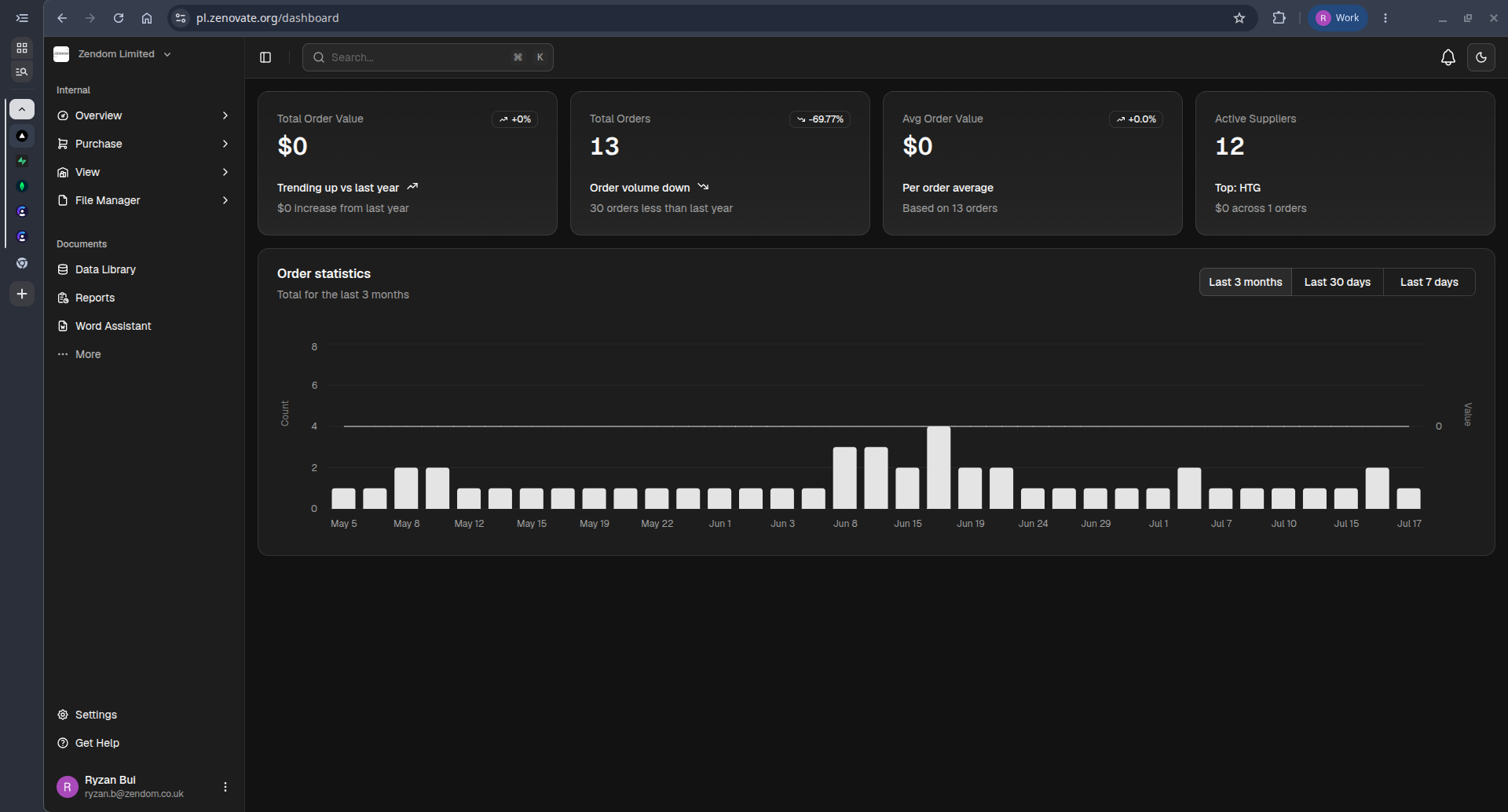
The Dashboard provides a high-level overview of purchasing performance, allowing users to monitor key metrics, supplier activity, and order trends.
Key Metrics
The summary cards display:
- Total Order Value – Total value of purchase orders.
- Total Orders – Number of orders created during the selected period.
- Average Order Value – Average value per purchase order.
- Active Suppliers – Number of suppliers with purchase activity and the top supplier.
Each card includes a comparison with the previous period when applicable.
Order Statistics
The Order Statistics chart visualizes purchasing activity over time.
Features:
- Daily order volume
- Purchasing trends
- Time-based comparison
Time Range
Use the time filter to update all dashboard metrics and charts.
Available ranges:
- Last 7 days
- Last 30 days
- Last 3 months
Search
Use the search bar at the top of the page to quickly find supported records across the platform.
Navigation
Use the left sidebar to access other modules, including:
- Purchase
- View
- File Manager
- Data Library
- Reports
- Word Assistant
- Settings